



























By Simone Maccarrone, owner of Oniroview, over 25 years of experience with TVs, brackets, and installations · Updated October 6, 2026
Deciding where to place your TV or monitor? Choosing the right TV mount or monitor mount means deciding between three paths: wall bracket, tabletop stand, or TV cart with wheels. Two questions will help you decide: Can you drill into the wall? Does the screen need to stay stationary or move? Below you will find a table to help you choose in a minute and, for each solution, what to check before ordering.
Before you choose: the three data points of your TV or monitor
Any mount—wall, tabletop, or floor—must be compatible with three screen specifications. Get these before looking at models.
1. VESA mount
On the back of the TV or monitor, there are four threaded holes arranged in a square or rectangle. The distance between the holes in millimeters (horizontal by vertical) is the VESA standard: 75×75, 100×100, 200×200, 400×400, and so on. The mount must support that exact pattern. Pay attention to "VESA up to...": it indicates the maximum size. Always check the minimum as well, especially with small screens on large brackets.
Curved back or recessed holes. On many TVs, the VESA holes are in a recessed area or on a curved back. In these cases, the bracket plate will not sit flat: you will need spacers and longer screws so the mount sits straight and does not press against the casing. All the wall brackets we sell come with a set of screws and spacers of different sizes to choose from based on your TV.
2. Weight without pedestal
Get the weight of the screen without the base from the manual or the manufacturer's technical sheet. The load capacity of the mount must be higher, with a margin: a mount working at the limit of its capacity will loosen sooner, especially if it has arms and joints.
3. Inches
The inch range indicated by the mount manufacturer is used to verify that the screen will not overhang or be unstable. However, it is not enough on its own: a TV might fall within the inch range but have an incompatible VESA or weight. Count VESA and weight first, then inches.
Which mount do you need: the decision table
| Your situation | Solution | What to check |
|---|---|---|
| TV in the living room, frontal viewing from the sofa, masonry wall | Fixed bracket | VESA, weight, sockets, and cable routing behind the screen |
| TV mounted high: bedroom, above a tall piece of furniture | Tilting bracket | Degrees of downward tilt, distance from the wall |
| TV in a corner or open space, watched from multiple points | Full-motion or articulating bracket | Arm extension, load capacity, wall solidity |
| You cannot drill: rented home, glass wall, or non-reinforced drywall | Floor TV stand or cart | Load capacity, max VESA, screen height |
| Meeting room, classroom, showroom: the screen needs to be moved | TV cart with wheels | Shelves for source/camera, wheels, capacity for large screens |
| A monitor in an office or home office | Tabletop monitor mount, clamp or base | Clear desk edge (clamp), VESA 75 or 100, weight |
| Two side-by-side monitors | Dual monitor tabletop mount | Weight per individual arm, total width of the two screens |
TV wall bracket: fixed, tilting, or full-motion
If you can drill, a wall bracket remains the most stable solution and takes up the least space. There are three types, and the difference lies in how you will view the screen.
Fixed. The TV stays flush against the wall, like a picture frame. It is the right choice when you always view the screen from the front and at the same height, typically in a living room. It is also the most affordable and discreet.
Tilting. Allows you to tilt the screen downwards. Useful when the TV is mounted higher than eye level, such as in a bedroom or above a tall cabinet, and helps reduce glare from windows.
Full-motion or articulating. An arm with one or more joints brings the TV forward and turns it left or right. It is the solution for corner walls, kitchens open to the living room, and rooms where you watch the screen from different points. It takes up more space when extended and, due to leverage, puts more stress on the mount: the longer the arm, the more the wall quality matters.
For drywall, extra caution is needed: the bracket must be attached to the metal studs of the structure or a reinforcement plate, using anchors suitable for that wall type. For large TVs and full-motion brackets, if you are unsure about the wall, rely on an installer.
Before drilling, check for pipes and wires. Electrical and plumbing lines usually run vertically or horizontally from sockets, switches, and water outlets: avoid drilling in those lines. A metal and wire detector is inexpensive and prevents major damage. Also, take the opportunity to decide where the TV cables will go: a socket and a cable duct behind the screen make the difference between a clean installation and a bundle of visible wires.
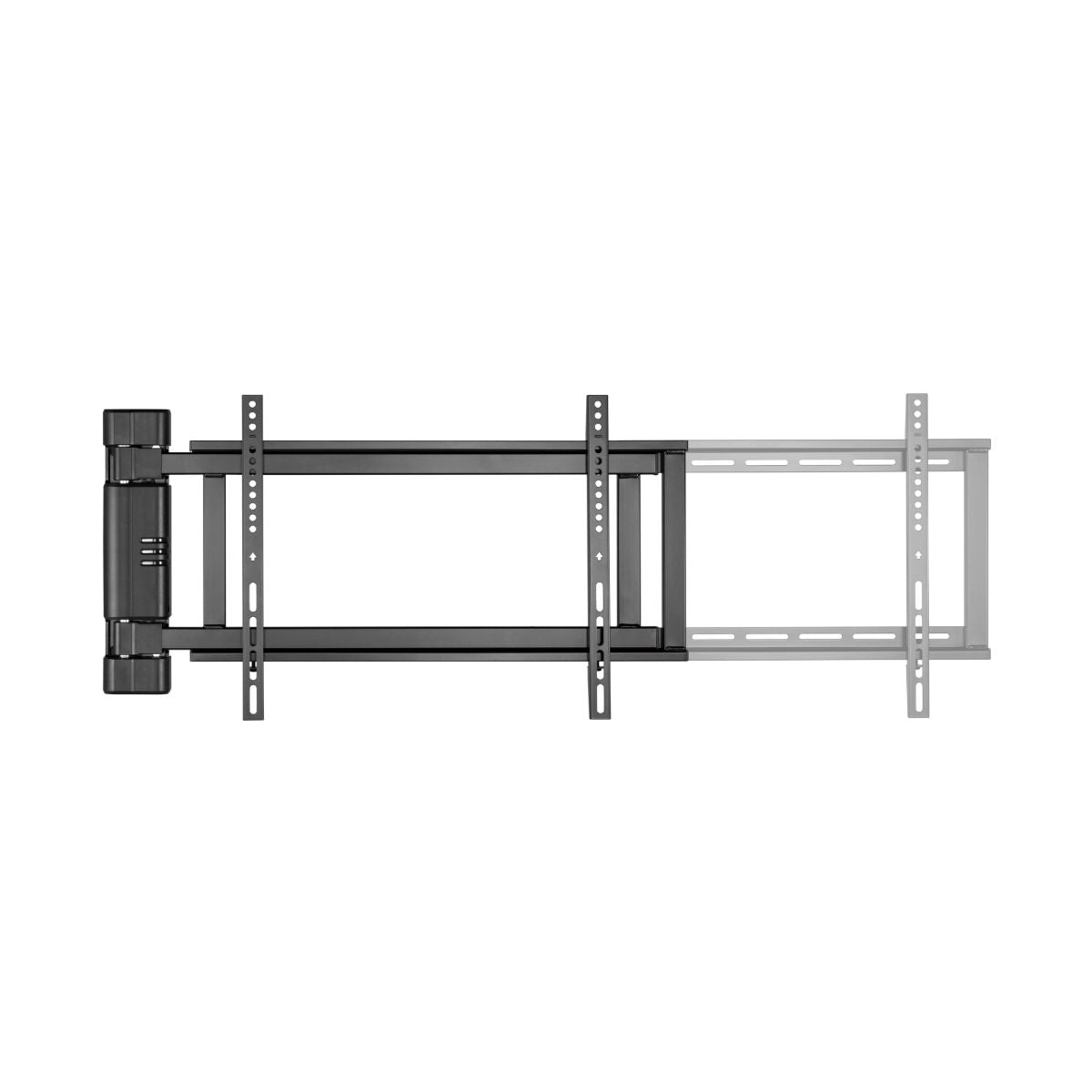
What if the wall is not suitable? There are two other solutions. Ceiling TV mounts are for waiting rooms, bars, shops, and video projectors. The motorized full-motion TV mount (32"-80", up to 50 kg, 170° rotation with remote control) is used when the screen needs to be turned often towards different areas. The latter requires a load-bearing wall and a 230V power point: this is a job for an installer.
Which bracket for your TV: inches, VESA, and Oniroview models
For every inch range, below you will find the maximum VESA mount supported by the brackets in our catalog and the models we recommend by type. The ranges overlap: the decision is always based on your TV's actual VESA and weight.
| TV | Max VESA bracket | Fixed | Tilting | Full-motion |
|---|---|---|---|---|
| 13"–30" | 100×100 | — | Tilting 13"-30", 15 kg | Full-motion 2-joint 13"-30", 15 kg |
| 23"–42" | 200×200 | Fixed 23"-42", 30 kg | Tilting 23"-42", 30 kg | Full-motion 23"-42", 20 kg |
| 23"–55" | 400×400 | Fixed ultra slim 23"-55", 60 kg | Tilting ultra slim 23"-55" | Full-motion 23"-55", 30 kg |
| 32"–70" | 400×400 | Fixed 32"-55", 35 kg | Tilting 32"-65", 35 kg | Articulating arm 32"-70", 45 kg |
| 37"–86" | 600×400 | Fixed 37"-70", 40 kg | Tilting 37"-86" | Articulating arm 40"-80", 60 kg |
| 42"–100" | 800×400 – 900×600 | Fixed ultra slim 42"-80" | Tilting 50"-100" | Full-motion 43"-100", 60 kg |
For 13"-30" screens, we currently do not have a fixed bracket available: the tilting model is the closest alternative.
You can find all types, from fixed ultra slim to full-motion for screens up to 120 inches, in our selection of wall TV mounts.
Tabletop monitor stand: clamp or base?
A tabletop monitor stand lifts the screen off the desk, frees up space, and allows you to adjust its height and angle. The real choice is how it attaches to the surface.
With a clamp. The bracket tightens onto the edge of the desk: no holes, and the desk surface remains completely clear. However, you need an accessible edge and a solid surface with a thickness compatible with the clamp: for DESK-1332 mounts, the desk must be between 10 and 78 mm thick.
With a grommet mount. Some monitor arms can also be fixed through the desk's cable grommet hole using a through-bolt: it is an alternative to the clamp when the edge is not accessible. The DESK-1332 mounts we carry are designed for clamp or base mounting, not grommet.
With a base. The stand sits on the desk and can be moved when needed. It is the solution for glass desks, desks with edges occupied by drawers or panels, and workstations that you frequently change.
An ergonomics tip: adjust the monitor so the top edge is at or slightly below eye level. With an adjustable stand, you can do this in seconds without stacks of books under the screen.
The tabletop monitor stands you can find here
🖥️ Tabletop monitor mount with clamp: 1 screen 13"-32", up to 10 kg, VESA 75×75 and 100×100.
🖥️ Tabletop TV and monitor stand with base: 1 screen 13"-32", up to 10 kg, sits without fasteners.
🖥️🖥️ Dual monitor tabletop stand with base: 2 screens 13"-32", 10 kg per arm.
These mounts support screens up to 10 kg with VESA 75 or 100 mounts. Heavier monitors or those with larger mounts require a different stand: in that case, check our category of tabletop TV and monitor stands or ask us for advice.
TV cart and floor stand: when the wall is not an option
The TV cart solves two situations: when you cannot drill and when the screen needs to move. For this reason, it is the typical choice for meeting rooms, classrooms, showrooms, trade fairs, and events, but also for those who rent or frequently change the layout of their living room.
Before choosing one, check four things:
- Load capacity and maximum VESA, using the same criteria as for wall brackets.
- Screen height: in a meeting room, the screen must also be visible from the back rows.
- Shelves: needed for video sources, video conferencing systems, or cameras.
- Wheels: check if they have brakes, which are useful for locking the cart in place once positioned.
Carts and floor stands
📺 TV cart with wheels 40"-100": up to 120 kg, VESA up to 800×600, source shelf and top shelf for the camera.
📺 Floor TV stand with wheels 40"-120": up to 150 kg, VESA up to 1200×600, for larger displays.
📺 Telescopic cart 37"-70": height adjustable from 120 to 160 cm, wheels with brakes, AV shelf, and video projector shelf.
📺 TV cart 37"-70" with shelf: up to 40 kg, H-base, can be assembled without a drill.
All models are collected in the floor TV stands, carts, and pedestals category.
Checklist before ordering
- Have you measured the VESA pattern on the back of the screen, in millimeters?
- Do you have the weight of the screen without the stand, and does the mount have a higher load capacity?
- Do you know what material the wall is made of: solid masonry, hollow bricks, or drywall?
- Have you checked that there are no pipes or cables passing through the area where you will be drilling?
- Have you planned where the cables will run and where the outlets are located?
- For table mounts: is the edge of the desk clear and sturdy enough for a clamp?
What we see in the shop
Returns on TV brackets and stands are practically non-existent, and the reason is simple: those who have doubts call us before buying. This happens especially with motorized mounts, and it is the right choice: they require a load-bearing wall and a 230 V power point, so it is best to verify everything before ordering.
The only return we remember did not concern a TV: a customer had ordered the mount for a Sky decoder when they needed the one for a Sky Mini. The lesson applies to any mount: check the exact model name, not just the brand. Two devices from the same brand can have different dimensions and mounting interfaces.
Expert advice
Before ordering, send us the exact model of your TV or monitor and, if you are mounting it on a wall, a photo of the wall. In over 25 years of working in the shop, we have seen almost every combination: we will tell you which mount is compatible before it reaches your home. Write to us at info@oniroview.com, call us at 095 2883005, or visit our shop in Catania, at via Piave 17.
Frequently Asked Questions
How do I know what VESA my TV has?
Look at the back of the screen: you will find four threaded holes. Measure the distance between the center of the holes in millimeters, horizontally and then vertically: the result, for example 200×200 or 400×300, is your VESA pattern. You can also find it in the manual or the manufacturer's technical sheet, often in the section dedicated to wall mounting. When choosing the mount, check that your TV's pattern falls within those accepted, considering both the maximum and minimum dimensions.
Can I mount a TV bracket on drywall?
Yes, but not with just any anchor. The bracket must be fixed to the metal studs of the structure or to a reinforcement plate or panel, using specific drywall anchors. With fixed brackets and lightweight TVs, the job is simpler; with full-motion brackets, the arm increases the strain on the mount, so the wall must be truly solid. If you don't know the wall structure or the TV is large, have an installer evaluate the installation.
Is a fixed or tiltable bracket better?
It depends on the height at which you mount the screen. If the TV is at eye level when you are seated and you watch it head-on, a fixed bracket is sufficient, more discreet, and cheaper. If, instead, you mount it high up, like in a bedroom or above a piece of furniture, the tiltable one allows you to angle the screen downward: you watch more comfortably and reduce window reflections. If you watch from multiple spots in the room, consider a full-motion mount directly.
Clamp monitor mount or base: which to choose?
The clamp tightens onto the edge of the desk and leaves the desktop completely clear: it is the best choice if the edge is accessible and the surface is sturdy. The base sits on the desk without any fixing: it is better suited for glass desks, those with edges occupied by drawer units or panels, and workstations that you move often. For the same screen, the adjustment capacity is similar: only the way it is attached changes.
Is a TV cart as safe as a wall bracket?
A well-dimensioned cart is stable, but it works differently than a bracket: stability depends on the base and the weight of the screen relative to the load capacity. Choose a model with a load capacity greater than the weight of the TV, a base suitable for the size of the screen, and wheels with brakes if you use it in busy areas. For very large screens, there are specific carts with wider bases, designed precisely for displays over 100 inches.
Can I use a desktop monitor mount for a small TV?
Yes, if the TV falls within the mount's limits: size between 13 and 32 inches, weight up to 10 kg, and VESA 75×75 or 100×100 interface. It is a convenient solution for a small TV in the kitchen or for a utility screen in a shop or office. Always check the weight without the stand and the position of the VESA holes on the back: some compact TVs do not have them, and in that case, the mount cannot be installed.
Find the right mount
Do you have the three details about your TV or monitor? Then choose from the right category: wall brackets, table mounts, or carts and floor stands. If you have any doubts about compatibility, write to us before ordering: it is faster for everyone.