

























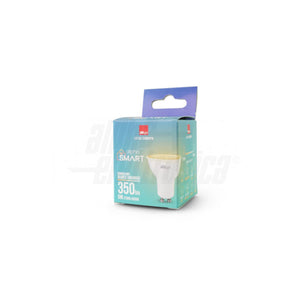
GU10 Smart Wifi Spotlight 5W Alexa Compatible Dimmable CCT Dynamic White


Secure Checkout
Pickup available at Sede Operativa Oniroview Usually ready in 24 hours
Pickup available
-
Sede Operativa Oniroview
Pickup available, usually ready in 24 hours
Via Piave 17
Check in google map
95129 Catania CT
Italy
Frequently Bought Together
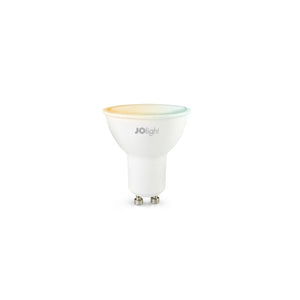
GU10 Smart Wifi Spotlight 5W Alexa Compatible Dimmable CCT Dynamic White
Smart bulbs Alexa Google compatible spotlight gu10 5W white adjustable
GU10 smart Alexa and Google Assistant WIFI compatible allow you total control of your home lights quickly and easily directly from your smartphone or voice assistants!
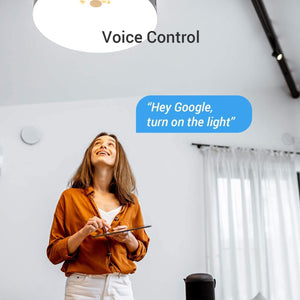
Through the Alexa app or the Google assistant you can turn on, turn off, adjust the intensity and color of the light simply using the voice command.
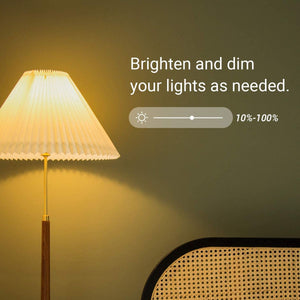
The GU10 5W Smart spotlight with CCT dynamic white allows you to turn on/off the Smart Life APP, select white from warm 2700K to cold 6500K, passing through all the intermediate shades and even the dimming of light intensity.
The spotlight has a GU10 socket with a power of 5W and light output of 3 55 lumens .
Our lamps are branded JOlight, designed in Italy by Alpha Elettronica which is synonymous with high quality and reliability.
In addition, smart wifi bulbs allow you to:
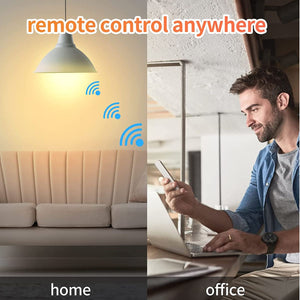
- There remote management wherever you are thanks to the App on your smartphone, you can turn your smart home lamps on and off
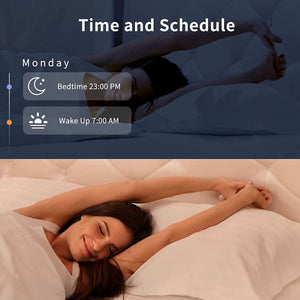
- There management and programming to automatically turn smart bulbs on and off at certain times
- You will be able to set rules and automations for scenarios to turn the lamps on and off when certain conditions occur
-
Consumption monitoring you will be able to view the mains voltage, current absorbed and the consumption of the devices connected to the socket ( valid only for controlled smart sockets )
PLEASE NOTE: for correct use of the lamp, a 2.4ghz wi-fi network is required, free installation of the SMART LIFE app (free account creation) and association of the device with the Alexa or Google app.
Wifi protocol supported: IEEE 802.11 b/g/n 2.4Ghz
No hub required.
General characteristics
| Number of ignition cycles | 10000 | Lamp type | PAR16 | |
|---|---|---|---|---|
| Photobiological risk | Free | Brand | JOlight | |
| Life time L70B50 | 20000 h | |||
Electrical characteristics
| Dimmable | yes | Power | 5W | |
|---|---|---|---|---|
| Control: | Wifi | Tens. AC operation | 230Vac | |
| Power factor PF | 0.5 | Input tolerance | ±10% | |
| Frequency | 50-60Hz | |||
Mechanical characteristics
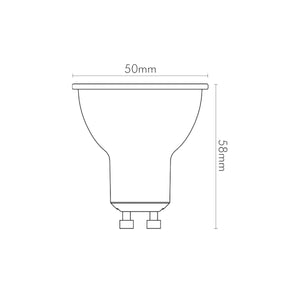
| Height | 58mm | Diameter | 50mm | |
|---|---|---|---|---|
| Attack | GU10 | Diffuser | Matt polycarbonate | |
| Body color | White | |||
Thermal characteristics
| Operating temp | -10 / 40 °C |
|---|
Lighting features
| Beam angle | 100th | Flow | 350lm | |
|---|---|---|---|---|
| Color | Adjustable CCT | Starting time | 0.2s | |
| CRI | 80% | Color temp | 2700‑6500K |
Changed your mind? Here's what to do
If you want to return your order, we're here to help. You have the right to withdraw from the purchase within 14 days of delivery, without having to provide any reason.
Right of withdrawal (within 14 days)
The deadline is 14 days from delivery. If the order includes multiple items delivered separately, the deadline starts from the delivery of the last item.
The 14 days are calculated in calendar days, including Saturdays, Sundays, and public holidays. If the last day falls on a Saturday, Sunday, or public holiday, the deadline is extended to the next working day.
How to exercise it: Initiate the request from the dedicated function in your account: https://account.oniroview.com → Orders section → "Manage" → "Request Return". The withdrawal is validly exercised at the moment you send the online request; it is not subject to our prior authorization.
- Return: You must send the products back within 14 days from the date you notified us of the withdrawal.
- Refund: We will refund you within 14 days of the withdrawal notification. We may withhold the refund until we have received the goods or proof of their shipment, whichever occurs first.
- Full withdrawal (you return all products in the order): 100% refund of the price plus standard outbound shipping costs. If you chose a more expensive delivery than the standard one at the time of the order, any supplement is not refundable.
- Partial withdrawal (you return only some products): refund of the price of only the returned products; outbound shipping costs are not refunded. If the order benefited from free shipping due to reaching a threshold and the partial return causes the value to fall below that threshold, the corresponding shipping cost will be calculated and deducted from the refund.
- Return costs: The direct costs of return are borne by the customer.
- Diminution in value: You are only responsible for any diminution in the value of the goods resulting from handling other than what is necessary to establish their nature, characteristics, and functioning. In such a case, we will deduct from the refund an amount corresponding to the ascertained lost value.
The refund will be made using the same payment method used for the purchase.
Exclusions from the right of withdrawal
Pursuant to Article 59 of the Consumer Code, withdrawal does not apply to:
- goods made to measure or clearly personalized (e.g., cables cut to size, custom configurations);
- sealed goods that are not suitable for return for hygienic reasons or health protection, if unsealed after delivery;
- digital content supplied on a non-material medium, if the performance has begun with your prior consent and acceptance of the loss of the right of withdrawal.
Outlet Items: Items in the Outlet category are sold as final sale and are not returnable.
B2B Sales: The right of withdrawal does not apply to contracts concluded with customers holding a VAT number.
How to ship the return
Once the request has been submitted, send all items to: Oniroview, Via Piave 17, 95129 Catania (CT), Italy.
- Pack carefully and use secure, tracked shipping: products lost or damaged during return transit cannot be refunded.
- To protect the original packaging, place it in a second box when possible. Do not apply labels or adhesive tape directly to the product's original packaging.
Tax deductions and benefits for ordinary and extraordinary maintenance
To request tax breaks, send your request to the email address: amministrazione@oniroview.com
IRPEF deductions at 50%
You are entitled to a 50% deduction for the purchase of products connected to building interventions, such as electrical systems, video intercoms and alarm systems and LED lighting. It is not required to send any documents to our company. To take advantage of the deduction, simply indicate the total expense in your 730 or in the Unico form.
The documents to be kept are:
- Bank transfer receipt
- Purchase invoices showing the nature, quality and quantity of the goods purchased and, preferably, the buyer's tax code
Procedure to follow:
- Place an order on our site by selecting "Bank Transfer" as the payment method.
- Request the invoice and indicate the desired deduction in the order notes.
- Make the payment via bank transfer, compliant with the provisions of the Revenue Agency. The transfer must include:
- Reason for payment (include order number and date)
- Oniroview tax code and/or VAT number: 05660420877
- Tax code of the payer
In the absence of even one of the two fields indicated above, the order will be processed without invoicing.
10% reduced VAT for building renovations and conservative renovations ( 10% REDUCED VAT - 50% TAX DEDUCTION)
Purchase of goods, with the exclusion of raw materials and semi-finished products, used in conservative restoration and building renovation. Use for the purchase of LED lighting is permitted .
Requested documents:
-
Copy of Identity Card
-
Copy of valid tax code or health card
-
Copy of DIA or SCIA or CIL (or building permit) where the "Type of intervention" is indicated
-
Declaration for reduced VAT ( download the form here )
The documents indicated above must be sent to the email address amministrazione@oniroview.com , after completing the order. Once the documentation has been verified, we will issue an advance invoice with the reduced VAT to proceed with the payment.
Procedure to follow:
- Place an order on our site by selecting "Bank Transfer" as the payment method.
- Request the invoice and indicate in the order notes by writing "your tax code and advance invoice for renovation and restoration, VAT 10%" in the same 'Order note' field.
- Make the payment via bank transfer indicating the invoice number
In the absence of even one of the two fields indicated above, the order will be processed without invoicing.
VAT reduced at 4% for the construction of the first non-luxury home
The use of LED lighting for the purchase of non-luxury properties is permitted (the property must not have luxury characteristics, according to the criteria indicated in the decree of 2 August 1969).
Requested documents:
-
Copy of Identity Card
-
Copy of valid tax code or health card
-
Copy of DIA or SCIA or CIL (or building permit) where the "Type of intervention" is indicated
-
Declaration for reduced VAT ( download the form here )
The documents indicated above must be sent to the email address amministrazione@oniroview.com , after completing the order. Once the documentation has been verified, we will issue an advance invoice with the reduced VAT to proceed with the payment.
Procedure to follow:
- Place an order on our site by selecting "Bank Transfer" as the payment method.
- Request the invoice and indicate in the order notes by writing "your tax code and advance invoice for the facilitation of construction of a first home, VAT 4%" in the same field.
- Make the payment via bank transfer indicating the invoice number
In the absence of even one of the two fields indicated above, the order will be processed without invoicing.
Furniture Bonus
Purchase of Furniture and Appliances, including LED lighting for private individuals and condominiums. Legislative decree no. 63/2013 introduced a further 50% deduction for the purchase of furniture and large appliances and LED lighting, aimed at furnishing properties undergoing renovation.
The main prerequisite for obtaining the deduction is the carrying out of a recovery intervention on the building heritage (renovation, restoration, etc.).
It is not required to send any documents to our company. To take advantage of the deduction, simply indicate the total expense in your 730 or in the Unico form.
The documents to be kept are:
- Bank transfer receipt
- Purchase invoices showing the nature, quality and quantity of the goods purchased and, preferably, the buyer's tax code
Procedure to follow:
- Place an order on our site by selecting "Bank Transfer" as the payment method.
- Request the invoice and indicate in the order notes by writing "your tax code and "advance invoice for mobile bonuses" in the same field.
- Make the payment via bank transfer indicating the invoice number
In the absence of even one of the two fields indicated above, the order will be processed without invoicing.
VAT exemption with Reverse Charge and Split Payment
To take advantage of reverse charge and split payment on Oniroview.com, Public Administration suppliers and companies that perform services through procurement and subcontracting contracts must follow this procedure:
- Complete the order on our website by selecting "Bank transfer" as the payment method.
- Specify in the order notes that you have the necessary documentation for VAT-free payment.
- Send the documentation to facilitazioni@oniroview.com , including the order reference.
After verifying the documentation, we will issue an advance invoice with the reduced VAT to proceed with the payment.
SETUP INSTRUCTIONS VIA SMART LIFE APP AND ALEXA
To configure smart bulbs you need to follow these steps:
-check that your home modem is set to 2.4ghz only
-download and install the SMART LIFE app
-create a free account
-check that your cell phone is connected to the 2.4ghz wifi network
-insert the light bulb and turn it on
-set the bulb in FLASHING mode (to set the bulb in flashing mode you need to turn the bulb on and off 5 times consecutively)
-open the smart life app, click the + button at the top right, then add device
-choose lighting menu, wi-fi klight source
-then you will have to choose your wifi network and enter the relevant password
-follow the on-screen instructions and wait for the cell phone to connect to the device
-the bulb is now connected and it will be possible to control it via the smart life app
ALEXA APP SETUP
-open alexa app
-c go to the "more" menu at the bottom right"
-add / connect the SKILL SMART LIFE
-ACCESS THE DEVICES MENU AND PRESS slill for smart home, THEN activate skilla smart home
-searching for the "smart life" skill we will proceed to enable it for use after logging in via the user and pass used during the installation of the smart life app
it will now be possible to turn the bulbs on and off via voice commands